
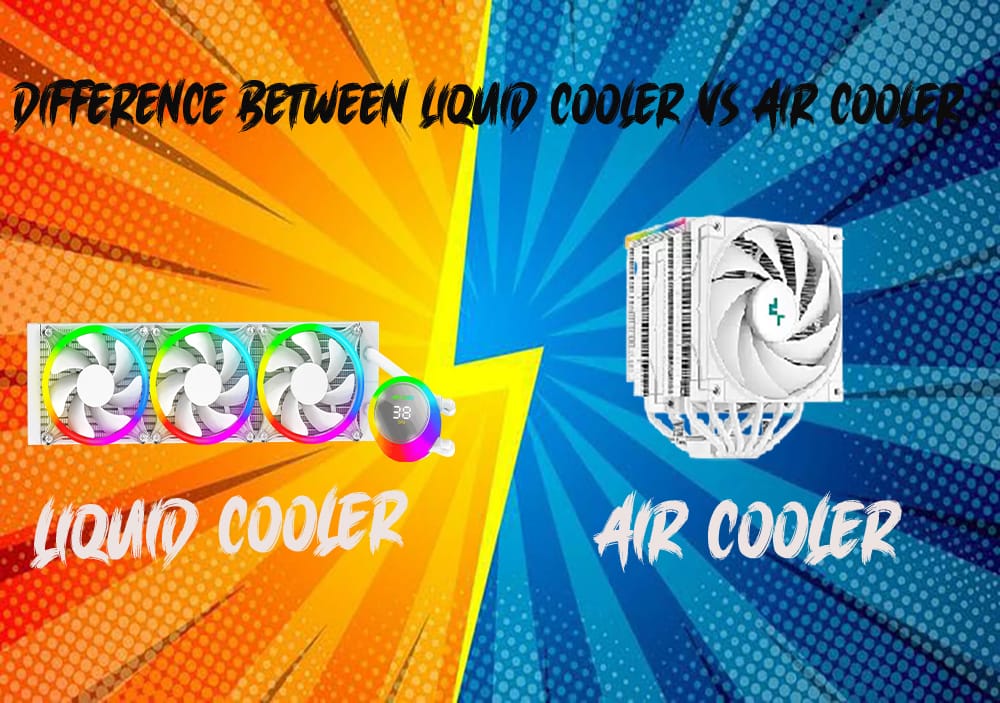
Air Cooling vs Liquid Cooling: Which One is Better for You?
When building or upgrading a PC, one of the most critical decisions you’ll make is choosing the right cooling solution. Cooling systems prevent your components, like the CPU and GPU, from overheating, which can lead to performance throttling, hardware damage, or shortened lifespan. The two main forms of cooling are air cooling and liquid cooling, both with their advantages and disadvantages. But what's best for you? Let us discuss the differences and assist you in finding out which cooling system is the best fit for your requirements.
Air Cooling: The Classic Approach
How It Works:
Air cooling is the most popular and conventional method of PC cooling. It employs a heat sink (most often constructed of copper or aluminum) to draw heat away from your CPU or GPU, with fans drawing air across the heat sink to transfer that heat away from the component. The bigger and more effective the heat sink, the more efficiently it can dissipate heat.
Benefits of Air Cooling:
Cost-Effective
Air coolers tend to be cheaper than liquid coolers. For a cost-effective build, you can usually find a decent air cooler that will keep your system at a safe temperature without costing an arm and a leg.
Simplicity and Ease of Installation
Installation of an air cooler tends to be quite simple. You just install the heat sink on the CPU, hold it firm, and connect the fan. There are less parts to handle than in liquid cooling, making it simpler for DIY.
Low Maintenance
Air coolers are less susceptible to problems and need minimal maintenance. You might need to brush dust off the fans from time to time, but otherwise, they are set-and-forget systems that don't require much attention.
Reliability
Having fewer moving parts than liquid cooling systems, air coolers are typically very reliable. There's no danger of leaks or degradation of the coolant, which is a risk with liquid cooling.
Disadvantages of Air Cooling:
Bulkier Design
Air coolers, particularly the more expensive ones, can be large. Big heat sinks and huge fans can occupy a significant amount of room in your case and get in the way of other components, such as RAM. This could pose a problem in small builds.
Lower Efficiency Under Heavy Loads
While air cooling is adequate for most customers, it may have difficulty with extreme loads, such as heavy overclocking or multi-GPU configurations. Air cooling tends to be less efficient at heat dissipation than liquid cooling in high-performance applications.
Noise
Air coolers have a tendency to make more noise, especially when the fans come on higher speeds. The noise is distracting if you're in the market for a silent PC, particularly in gaming or workstations during heavy usage.
Liquid Cooling: Top Performance and Looks
How It Works
Liquid cooling is a closed loop system that consists of pump, radiator, tubes, and coolant (usually a water-based liquid). Heat from a cold plate, which is placed on top of the CPU or GPU, is transferred to the coolant. The coolant flows through the system and goes to the radiator, where fans dissipate heat from the liquid before it's returned to the component. Liquid cooling is either AIO (All-in-One) or custom loop.
Benefits of Liquid Cooling:
Better Cooling Performance
Liquid cooling tends to be far more effective than air cooling, particularly in high-performance applications. Water possesses a much greater thermal conductivity than air, which translates to its ability to absorb and transfer heat better. This is why liquid cooling is the best option for overclocking, high-end gaming, or workstation computers.
Quieter Operation
Liquid cooling is quieter than air cooling, particularly in AIO systems. The fans tend to run slower, and because the cooling is more effective, the system does not have to work as hard to keep temperatures down, resulting in less noise.
Aesthetics
Liquid cooling systems, especially custom loops, often look visually stunning. If you’re building a PC to show off, liquid cooling can add a sleek, high-tech vibe, with clear tubing and RGB lighting options. It’s a popular choice among PC enthusiasts who prioritize the "look" of their setup.
Space Efficiency
Because most of the cooling devices (such as the radiator) are able to be mounted at the top or front of your case, liquid cooling doesn't occupy as much space around the CPU socket, possibly enhancing RAM clearance and creating additional space for other hardware.
Drawbacks of Liquid Cooling:
Increased Expense
Liquid coolers, particularly AIO systems and custom loops, can be expensive. If you’re on a tight budget, the cost of a liquid cooling system might be prohibitive. Additionally, custom loops require purchasing individual parts (pump, radiator, reservoir, tubing), which can add up quickly.
More Complex Installation and Maintenance
Whereas AIO solutions are easy to install, custom liquid cooling loops demand a more complex setup. You have to design the tubing layout, check for compatibility, and even deal with the liquid in the loop (coolant replacement, tube cleaning, etc.) at times. This does not make liquid cooling ideal for beginners or for people who like things easy.
Potential for Leaks
While today's liquid coolers are made to reduce the possibility of leaks, there is always a slight risk that a failure in the pump, tubing, or seals will cause coolant to spill. This can harm your components and make them perform poorly.
Longevity
Whereas liquid cooling systems tend to last long, the pump will, with time, fail, and the coolant can deteriorate over time. You might have to replace some parts or replace the coolant, particularly if you have a custom loop.
Which Is Better for You?
The choice between liquid and air cooling will be determined primarily by your own needs, budget, and intended use of your PC. Here's a quick summary to assist you in making a choice:
Select Air Cooling if:
You are on a budget and require an affordable option.
Your system is not going to be under heavy stresses (e.g., light gaming, office use, light to medium-load tasks).
You want a less complex, more stable, and low-maintenance cooling system.
You’re building a compact PC and space is a concern (though keep in mind some large air coolers can also be bulky).
Choose Liquid Cooling if:
You’re building a high-performance machine and want the best cooling efficiency, particularly for overclocking or running demanding applications.
You value a quieter PC, especially under load.
You like the idea of a sleek, visually striking build with customizable cooling setups.
You're okay with having a bit more complicated installation process and potential maintenance.
Final Thoughts:
Air cooling and liquid cooling both have their niche in PC building. If you desire an easy, budget-friendly option that suits most workloads, air cooling is a great option. However, if you're looking for ultimate cooling performance, quieter noise, and a more aesthetically pleasing setup, liquid cooling is well worth considering.
Ultimately, the "better" choice will come down to your own tastes, performance requirements, and budget you're willing to spend on your system. So, take some time to consider your objectives well, and pick the cooling solution that suits your build the best. Happy cooling!